
cPanel CVE-2026-41940 Security Vulnerability & Incident Response Guide (2026)
On April 28, 2026, cPanel officially disclosed CVE-2026-41940, a critical authentication bypass vulnerability affecting cPanel/WHM systems. This flaw may allow unauthorized attackers to gain root-level access under certain conditions.
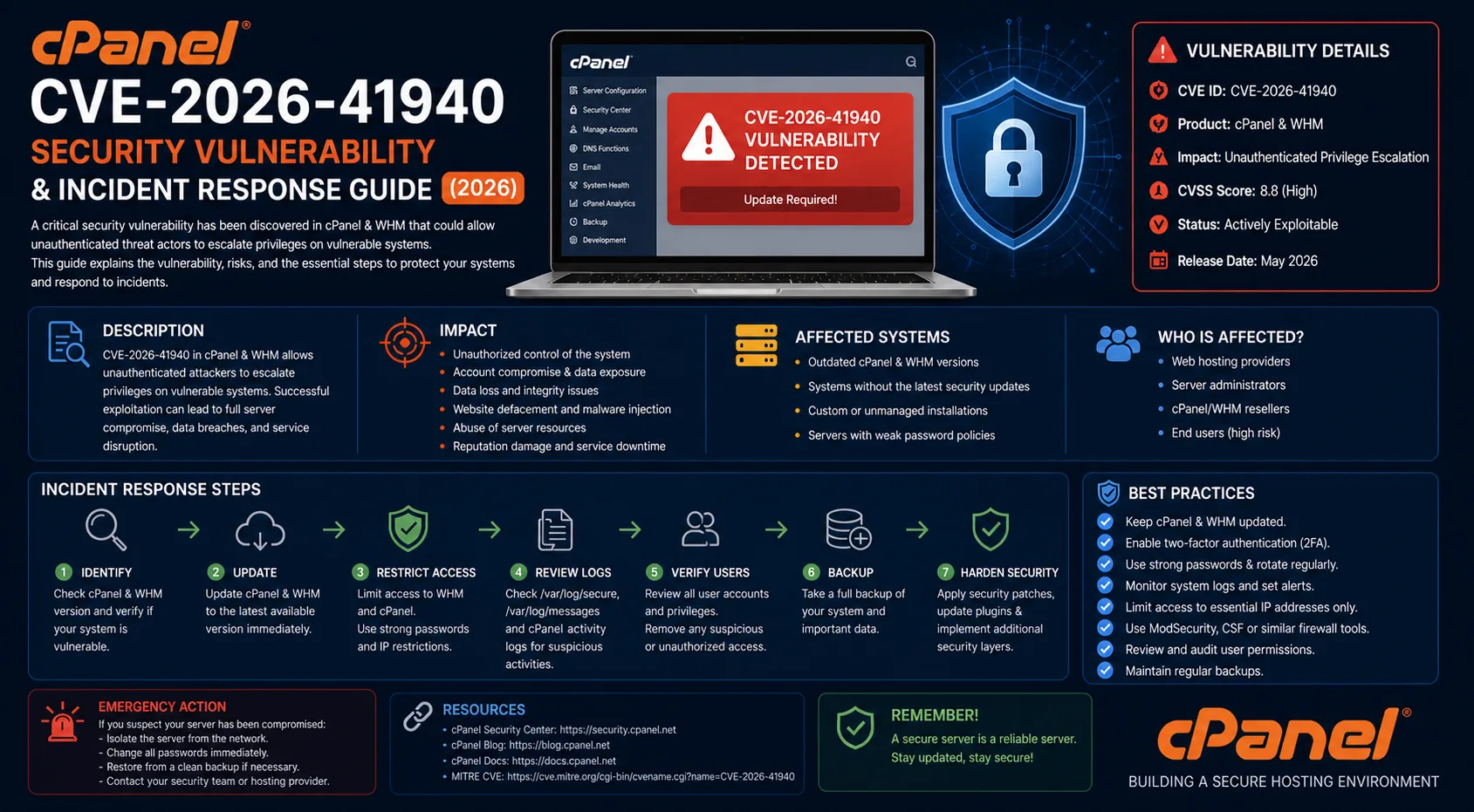
This guide provides a professional, technical, and actionable incident response workflow including containment, investigation, cleanup, and permanent remediation.
Impact of the Vulnerability
Authentication bypass
Unauthorized WHM access
Remote command execution as root
SSH key injection (backdoor)
Persistence via cron jobs
1. Immediate Containment
Kill active malicious sessions
pkill -u root
pkill -u nobody
Temporarily disable SSH access
systemctl stop sshd
2. Remove Persistence Mechanisms
Clean SSH keys
rm -rf /root/.ssh
rm -rf /home/*/.ssh
Remove cron-based persistence
crontab -r
rm -rf /var/spool/cron/*
rm -rf /etc/cron.d/*
3. Identify Attacker IP Addresses
Analyze access logs for suspicious activity:
grep -E "login_only=1|json-api|scripts2/listaccts|cpsess"
/usr/local/cpanel/logs/access_log |
awk '{print $1}' | sort | uniq -c | sort -rn | head -20
4. Block the Attacker
iptables -I INPUT -s ATTACKER_IP -j DROP
5. Analyze Attacker Activity
View recent suspicious actions:
grep -E "login_only=1|json-api|scripts2/listaccts|cpsess|passwd|createacct|terminal"
/usr/local/cpanel/logs/access_log | tail -200
Filter root-level API activity:
grep "json-api" /usr/local/cpanel/logs/access_log |grep -v "version|logout" | tail -506. Backdoor Detection
Check SSH authorized keys:
cat /root/.ssh/authorized_keysIf suspicious entries exist, clear them:
/root/.ssh/authorized_keys
7. Cron Job Inspection
crontab -l
ls -la /etc/cron*
Remove any unknown or malicious entries.
8. Session Cleanup
rm -rf /var/cpanel/sessions/raw/*
rm -rf /var/cpanel/sessions/cache/*
9. Restart cPanel Services
/scripts/restartsrv_cpsrvd10. Restrict WHM Access Temporarily
iptables -A INPUT -p tcp --dport 2087 -j DROP
iptables -I INPUT -s YOUR_IP -p tcp --dport 2087 -j ACCEPT
11. Permanent Fix (Critical)
Update your cPanel installation immediately:/scripts/upcp --force
Verify version:
/usr/local/cpanel/cpanel -V
12. Additional Hardening Recommendations
Disable SSH root login (PermitRootLogin no)
Install Fail2Ban
Use CSF firewall
Enable ModSecurity
Monitor logs continuously
Conclusion
CVE-2026-41940 demonstrates how a single critical vulnerability can compromise an entire server environment. Proper response requires not only removing the attacker but also eliminating persistence mechanisms and hardening the system.
The steps outlined in this guide provide a complete incident response workflow to secure compromised cPanel/WHM servers and prevent future attacks.