
500 Internal Server Error Fix: Complete Guide for WordPress, PHP, Laravel, cPanel, Plesk, FTP and SSH
The 500 Internal Server Error is one of the most common and frustrating server-side issues. It does not point to a single cause. Instead, it can be triggered by misconfigurations, code errors, permission problems, server resource limits, or software conflicts.
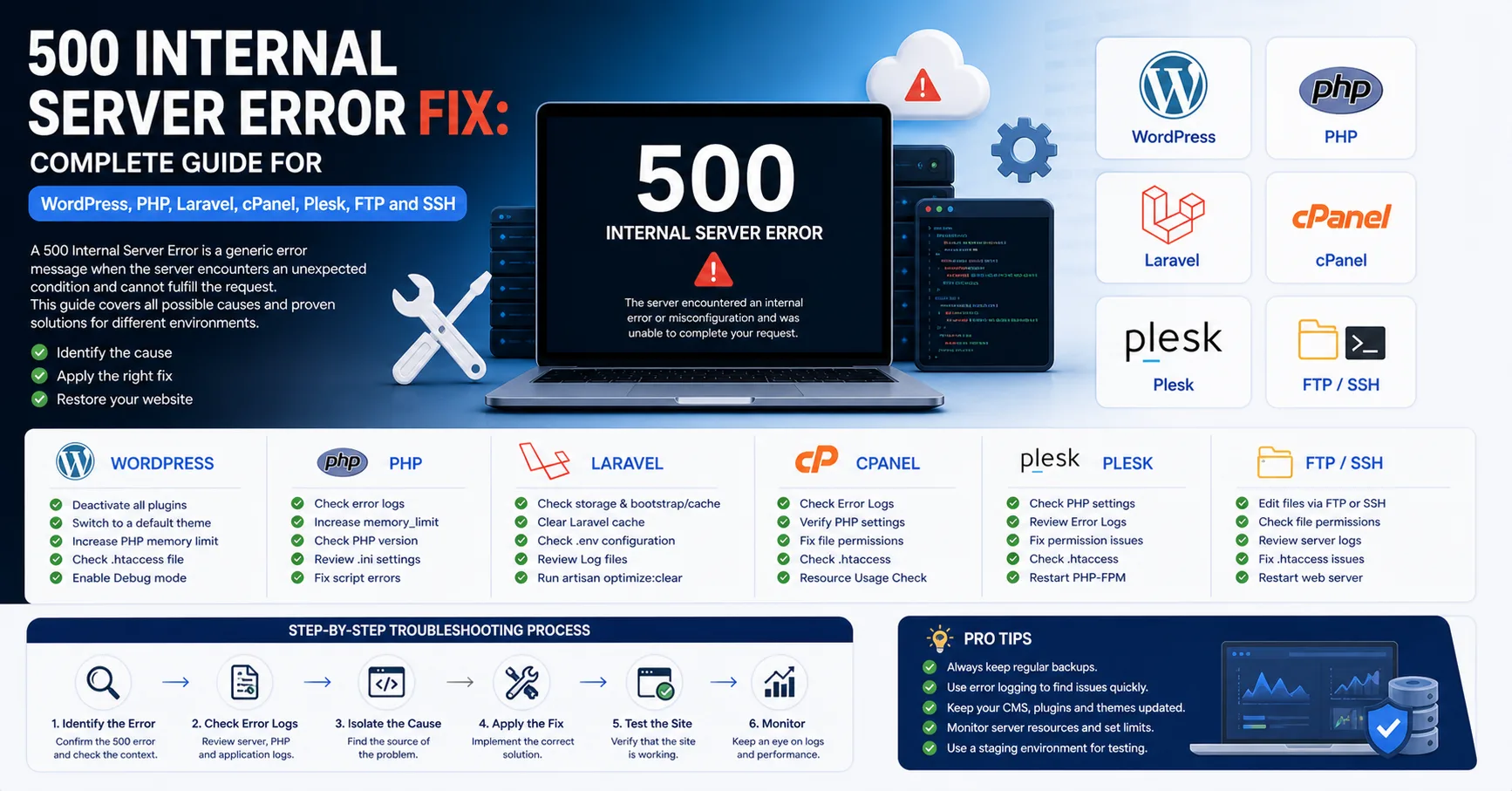
The 500 Internal Server Error is one of the most common and frustrating server-side issues. It does not point to a single cause. Instead, it can be triggered by misconfigurations, code errors, permission problems, server resource limits, or software conflicts.
This guide covers all major environments including WordPress, custom PHP applications, Laravel, cPanel, Plesk, FTP, SSH, Apache, Nginx, and LiteSpeed.
What is a 500 Internal Server Error?
A 500 error means the server failed to process the request. Unlike 404 errors, this is not caused by the client, but by server-side issues.
Common symptoms:
White screen (blank page)
Admin panel inaccessible
Only some pages fail
Forms trigger error
WordPress frontend fails but admin works
Laravel routes fail but homepage loads
Error appears after PHP version change
Error appears after editing .htaccess
Common Causes of 500 Errors
Corrupted .htaccess
Wrong PHP version
PHP fatal errors
Missing PHP extensions
Incorrect file permissions
Plugin/theme conflicts (WordPress)
Laravel .env issues
Missing vendor files
Database connection issues
Full disk space
High CPU/RAM usage
ModSecurity blocking
Low memory limit
Wrong file ownership
Server misconfiguration
Malware or corrupted files
Step 1: Check If Error is Global
Before debugging:
Try different browser
Use incognito mode
Test with mobile internet
Clear CDN cache
Disable proxy/CDN temporarily
If everyone sees the error → server issue.
cPanel Fix
Check Error Logs
cPanel → Metrics → Errors
Look for:
PHP Fatal error Allowed memory size exhausted Premature end of script headers
Change PHP Version
Use MultiPHP Manager.
Test:
PHP 8.3
PHP 8.2
PHP 8.1
PHP 7.4
Check Extensions
Ensure:
mysqli
pdo_mysql
mbstring
curl
gd
intl
zip
Fix Permissions
Folders: 755 Files: 644
Test .htaccess
Rename:
.htaccess → .htaccess_backup
Plesk Fix
Check Logs
Domains → Logs
Look for:
PHP Fatal error Permission denied FastCGI error
Change PHP Handler
Test:
PHP-FPM
FastCGI
Check Nginx Settings
Remove custom directives temporarily.
ModSecurity
Disable temporarily to test.
FTP Fix
Disable .htaccess
Rename file and test.
Check Recent Files
Sort by modified date.
Disable Plugins (WordPress)
wp-content/plugins → plugins_off
Change Theme
Rename active theme folder.
SSH Fix
Apache Logs
tail -f /var/log/apache2/error.logNginx Logs
tail -f /var/log/nginx/error.logPHP-FPM Logs
journalctl -u php-fpm -n 100
Fix Permissions
find . -type d -exec chmod 755 {} \;
find . -type f -exec chmod 644 {} \;
Fix Ownership
chown -R user:user public_htmlCheck Disk
df -h
Check Resources
top free -m
WordPress Fix
Enable Debug
define('WP_DEBUG', true);Check:
wp-content/debug.log
Disable Plugins
Rename plugins folder.
Change Theme
Rename theme folder.
Reset .htaccess
Use default WordPress rules.
Increase Memory
define('WP_MEMORY_LIMIT', '256M');Laravel Fix
Check Logs
storage/logs/laravel.log
Fix .env
Ensure correct DB and APP_KEY.
Generate Key
php artisan key:generateClear Cache
php artisan optimize:clearInstall Dependencies
composer installFix Permissions
chmod -R 775 storage bootstrap/cachePHP Script Fix
Enable Errors (temporary)
ini_set('display_errors', 1);
Check Includes
Common errors:
Class not found Call to undefined function
Check Database
Verify credentials and service status.
.htaccess Issues
Common mistakes:
php_value memory_limit 256M
Not allowed in some servers.
Solution:
Disable and test.
ModSecurity Issues
Symptoms:
Form submit fails
API returns 500
Solution:
Disable temporarily and whitelist rules.
Memory Limit Issue
Allowed memory exhausted
Fix:
memory_limit = 256M
Execution Time Issue
Maximum execution time exceeded
Fix:
max_execution_time = 120
Database Issues
Check:
systemctl status mysql
Cloudflare Issues
Clear cache
Enable Development Mode
Test origin server
Fast Diagnosis Checklist
Check logs
Disable .htaccess
Change PHP version
Disable plugins
Check theme
Increase memory
Fix permissions
Check database
Check disk
Check ModSecurity
What NOT to Do
Do not delete random filesDo not set 777 permissions
Do not disable security permanently
SEO Impact
Long-term 500 errors:
Deindex pages
Drop rankingsConclusion
500 Internal Server Error is not a single issue but a combination of possible failures. The key is:
Check logs first
Identify root cause
Apply targeted fix
Prevent recurrence
A professional approach focuses on diagnosis, not guessing.