
How to Remove WordPress Malware? (2026 Complete SEO & Security Guide)
WordPress websites are a frequent target for malware due to their popularity. A hacked or infected site not only creates security risks but also severely damages SEO performance.
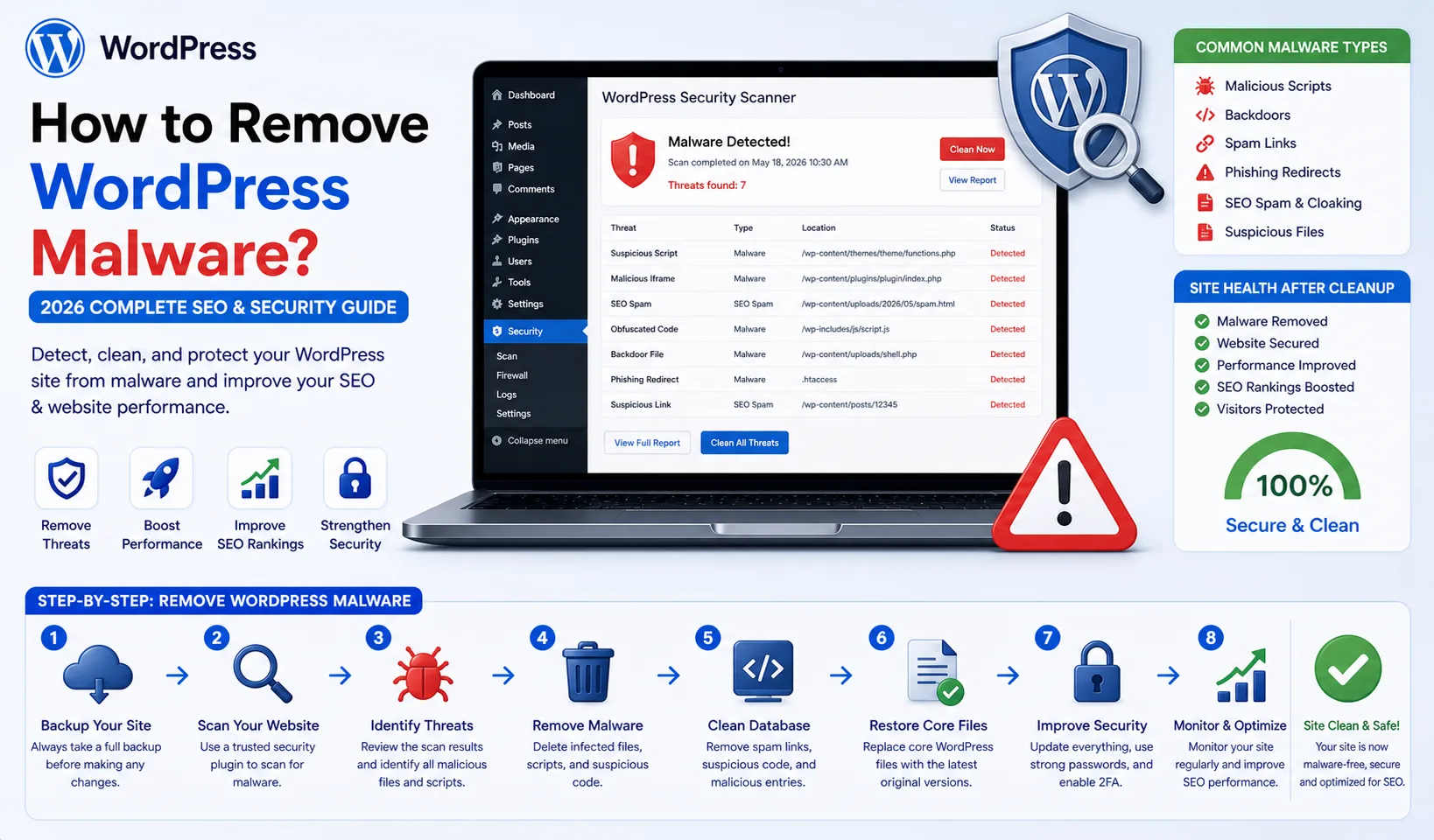
WordPress websites are a frequent target for malware due to their popularity. A hacked or infected site not only creates security risks but also severely damages SEO performance.
In this comprehensive guide, you will learn how to detect, remove, and prevent malware in WordPress using professional techniques.
What Is WordPress Malware?
Malware refers to malicious code or files injected into your website without permission.
Common types include:
Backdoor scripts
SEO spam injections (hidden links)
Redirect malware
Crypto mining scripts
Fake admin users
How Malware Affects SEO
If your site is infected:
Google may blacklist your website ("This site may be hacked")
Rankings drop significantlySpam pages get indexed
Organic traffic decreases
How to Detect WordPress Malware
1. Run a Security Scan
Use tools like:
Wordfence
Sucuri Scanner
iThemes Security
2. Check Suspicious Files
Look for:
base64_decode()
eval()
gzuncompress()
Unknown PHP files
3. Inspect File Changes
Check wp-content/uploads for PHP files
Review recently modified files
4. Scan the Database
Hidden spam links
Injected scripts
5. Review User Accounts
Unknown admin users
Suspicious login activity
How to Remove WordPress Malware (Step-by-Step)
1. Backup Your Website
Always create a full backup before making changes.2. Remove Malicious Files
Delete suspicious PHP filesClean uploads directory
3. Reinstall WordPress Core
Replace core files (except wp-content)
4. Reinstall Themes & Plugins
Only use trusted sources5. Clean the Database
Remove spam content
Delete injected scripts6. Reset All Passwords
Admin panel
Hosting account
FTP
Database
7. Check for Backdoors
Search hidden access scripts
Prevent Malware Reinfection
Security Measures
Use WAF (Cloudflare)
Enable login protection
Activate 2FA
Keep Everything Updated
Core
Themes
Plugins
Secure File Structure
Prevent PHP execution in uploads
Regular Scanning
Weekly malware scans
Advanced Malware Detection Techniques
CLI Scanning
find . -type f -name "*.php" -exec grep -l "base64" {} \;Log Analysis
access.log
error.log
Common Mistakes
Using nulled themes/plugins
Not taking backups
Relying only on plugins for cleanup
Conclusion
Removing WordPress malware requires a systematic and careful approach.
With the right steps:
Your site can be fully cleaned
SEO damage can be minimized
Security can be restored
FAQ
Is malware removal difficult?
It requires moderate technical knowledge.
Can malware return?
Yes, if security measures are not implemented.
How to remove Google blacklist warning?
Submit a reconsideration request in Google Search Console.
With this guide, you can handle WordPress malware removal at a professional le