
How to Convert WordPress Images to WebP? (2026 SEO & Performance Guide)
Image optimization is critical for both SEO and performance in WordPress. WebP, a modern image format developed by Google, offers superior compression and faster load times compared to JPEG and PNG.
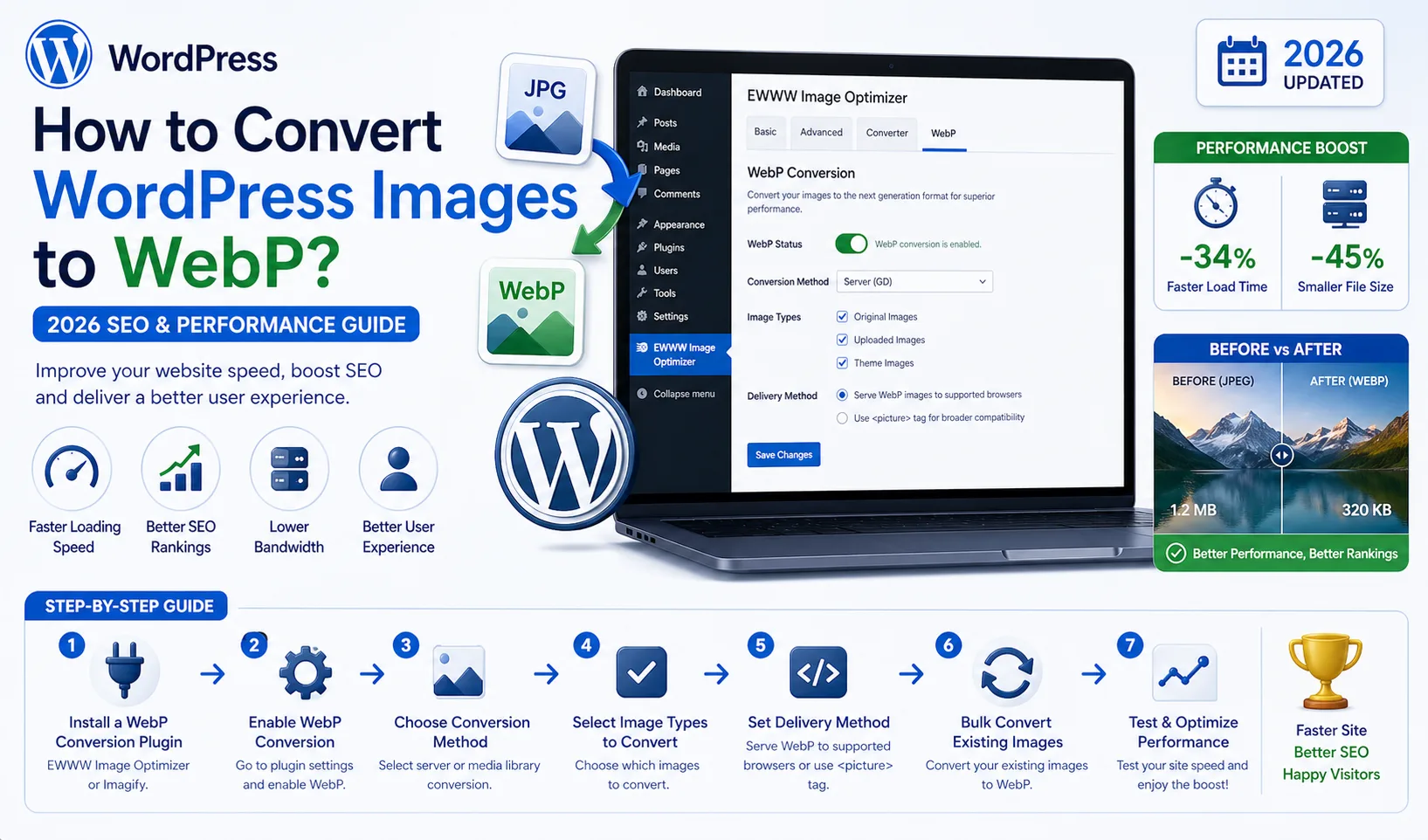
Image optimization is critical for both SEO and performance in WordPress. WebP, a modern image format developed by Google, offers superior compression and faster load times compared to JPEG and PNG.
In this comprehensive guide, you’ll learn how to convert WordPress images to WebP, best practices, and advanced optimization techniques.
What Is WebP?
WebP is a next-generation image format that provides better compression while maintaining high visual quality.
Benefits
25%–80% smaller file sizes
Better compression than JPEG/PNG
Supports transparency (like PNG)
Faster loading times
Why WebP Matters for SEO
Google uses page speed as a ranking factor.
Using WebP helps:
Reduce page load time
Improve Core Web Vitals
Lower bounce rate
Increase SEO rankings
Methods to Convert Images to WebP in WordPress
1. Using Plugins (Easiest Method)
The most common way is via WordPress plugins.
Popular WebP Plugins
Imagify
ShortPixel
Smush
EWWW Image Optimizer
Advantages
Automatic conversion
Bulk optimization
CDN integration
2. Using .htaccess (Advanced)
For Apache servers:
<IfModule mod_rewrite.c> RewriteEngine On RewriteCond %{HTTP_ACCEPT} image/webp RewriteCond %{REQUEST_FILENAME} (.+)\.(jpe?g|png)$ RewriteCond %{REQUEST_FILENAME}.webp -f RewriteRule ^(.+)\.(jpe?g|png)$ $1.webp [T=image/webp,E=accept:1] </IfModule>
3. Converting with PHP
You can manually convert images using PHP:
$image = imagecreatefromjpeg('image.jpg');
imagewebp($image, 'image.webp', 80);
imagedestroy($image);
4. Using CDN (Cloudflare, etc.)
Cloudflare Polish feature:
Automatic WebP delivery
Browser-based format serving
Browser Compatibility & Fallback
Modern browsers support WebP, but fallback is recommended:
<picture> <source srcset="image.webp" type="image/webp"> <img src="image.jpg" alt="example"> </picture>
Best Practices for WebP Optimization
Image Quality
Use 70–85 quality
Avoid over-compression
Resize Images
Don’t upload unnecessarily large images
Enable Lazy Loading
Load images only when needed
Use CDN
Improves global delivery speed
Common Mistakes to Avoid
Using the same compression level for all images
Deleting original images
Not implementing fallback
Ignoring CDN usage
Advanced WebP Strategy
For professional setups:
Automatic optimization pipelines
Convert on upload
Integrate with caching systems
Conclusion
Converting WordPress images to WebP is one of the most effective ways to improve site speed and SEO.
With proper implementation:
Faster website
Better rankings
Improved user experience
FAQ
Does WebP improve SEO?
Yes, indirectly through performance improvements.
Should all images be WebP?
Yes, with proper fallback.
WebP vs AVIF?
AVIF offers better compression, but WebP is more widely supported.
With this guide, you can implement professional-level WebP optimization in WordPress.